What's new
What we've changed on HallMatch
Every change we make for halls and the people who hire them, newest first. Each one shows you the screen and says how to use it.
Last change 16 November 2026 · 49 changes so far
Follow along on FacebookOctober 2026
New this month: a website for your hall, built from the listing you already keep up to date.
Everything · 2
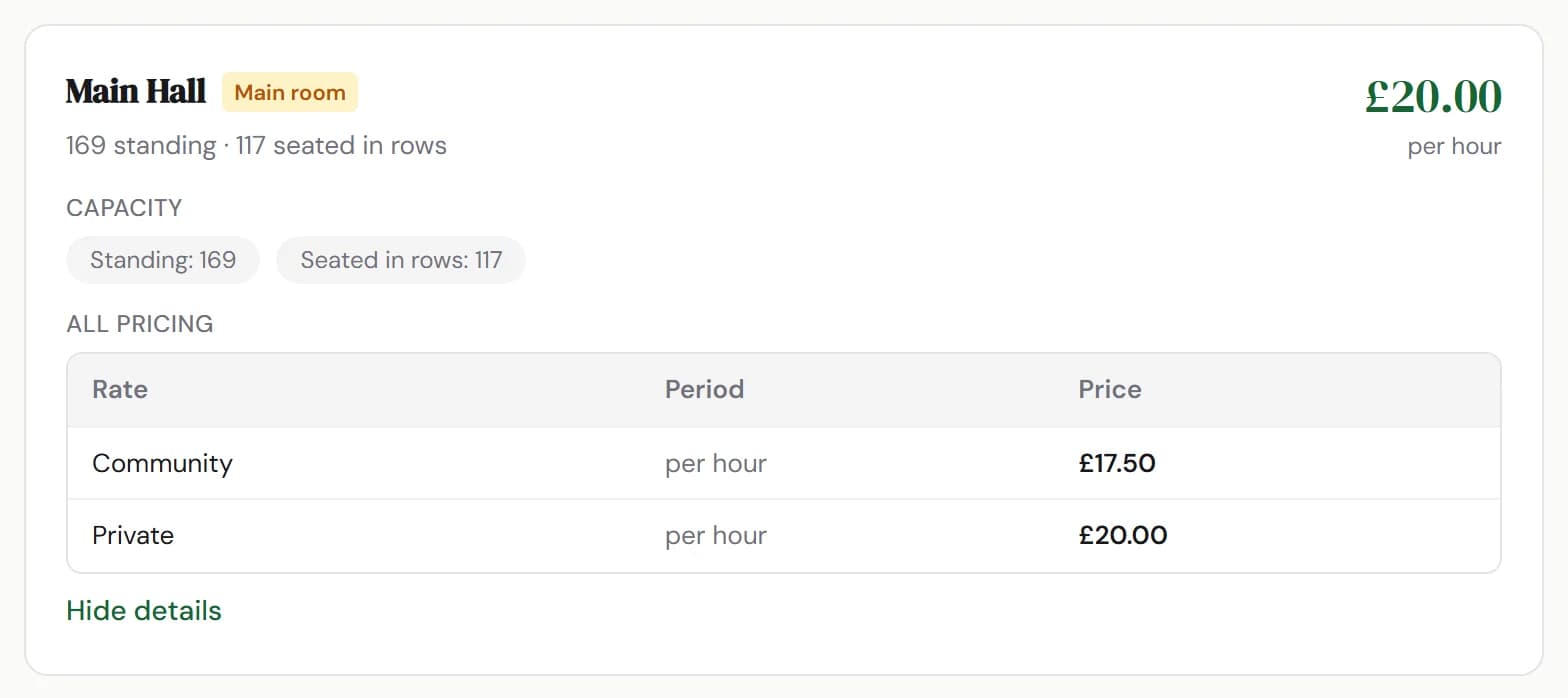
ImprovedA hall's page now leads with the price anyone can book atA hall's page and search now quote its everyday hire rate where it has one, with local group rates listed in full under each room.
Good to know
- Nothing to do. We work it out from the prices a room already has.
- Show details and full pricing on each room lists every rate, including what local groups pay.
- Run a hall? Change your prices under Rooms and prices on your listing.
Where to find itYour listing, then Rooms and prices
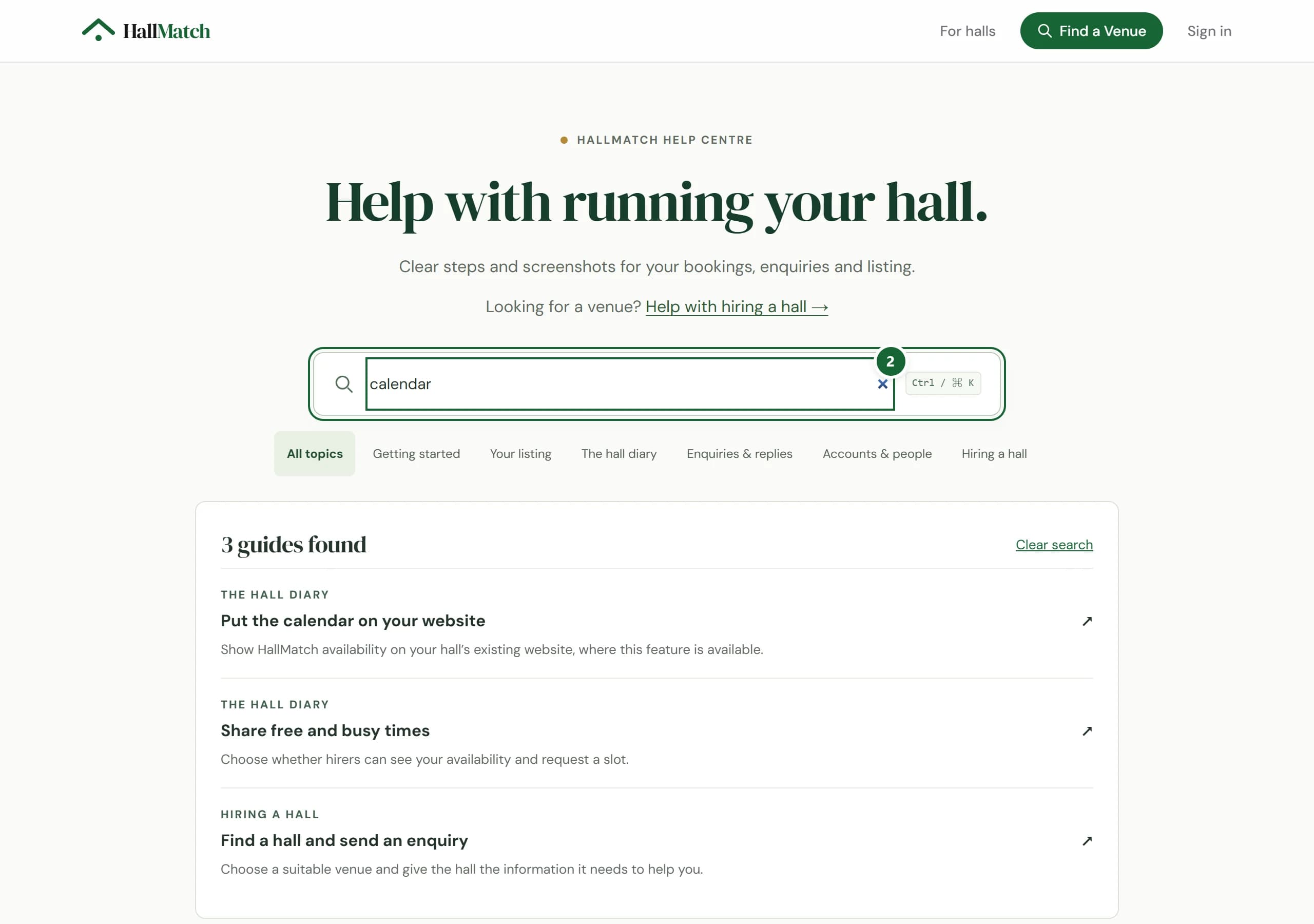
Show me NewFind step-by-step help guides for running your hallThe new Help centre has short guides, from claiming your hall to adding a booking, each naming the screen and the buttons to press.
How to use it
- Step 1: Press Help centre at the foot of any HallMatch page, or Help guides at the foot of your dashboard.
- Step 2: Search, for example “calendar”, or pick a topic such as The hall diary.
- Step 3: Open a guide. Where to go names the screen, and the steps name each button in order.
Good to know
- You don't need to sign in to read the guides.
- Hiring a hall? Help with hiring a hall takes you to the guide for hirers.
- Still stuck? Contact the team at the foot of the Help centre.
Where to find itHelp centre
Go to Help centre