ImprovedFor halls
Choose what happens before the last person stops your hall's enquiries
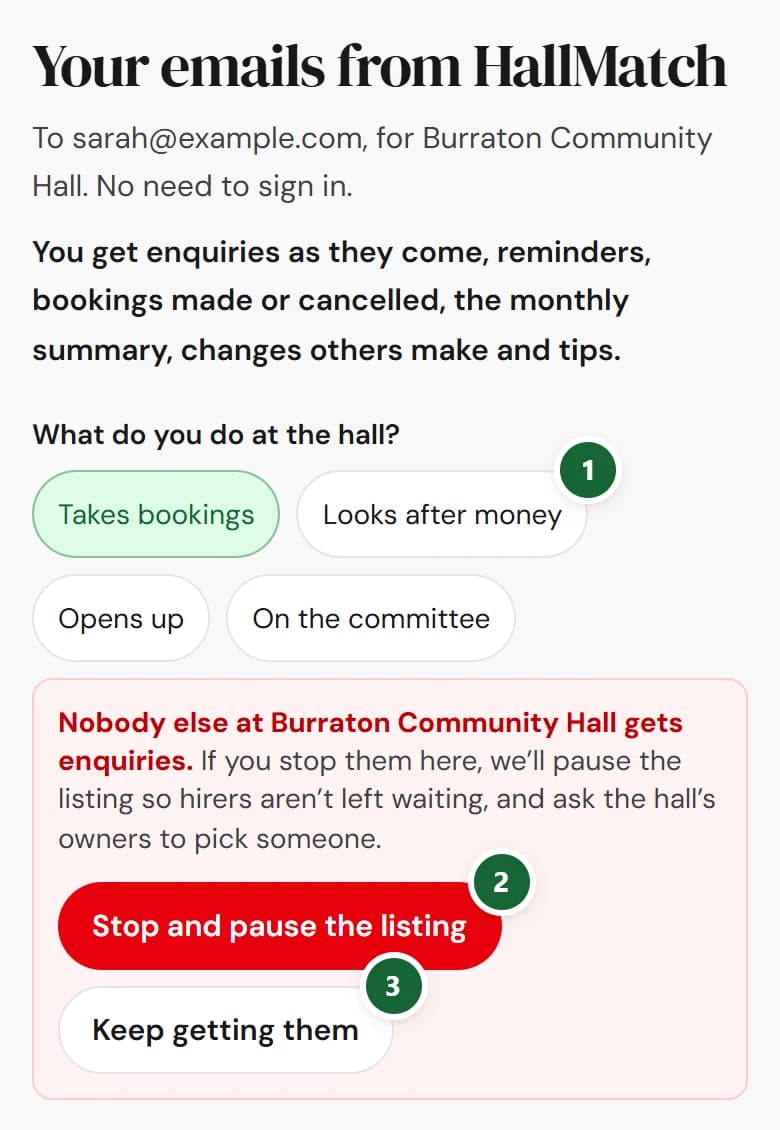
If nobody else at your hall gets enquiries, Your emails asks you first, and nothing changes until you say so.
How to use it
- Step 1: Press Choose what you get in any email from us, then pick a job that doesn't get enquiries, such as Looks after money.
- Step 2: To stop, press Stop and pause the listing. We pause your listing and ask the hall's owners to pick someone.
- Step 3: To carry on, press Keep getting them. Nothing changes.
Good to know
- Stop and pause the listing is ready to press after two seconds.
- Every other change on the page still takes one tap.
- To turn enquiries back on after a pause, Pause enquiries or leave offers Choose on Emails until someone at the hall is picked.
Not on HallMatch yet? What HallMatch does for halls →