ImprovedFor halls
Tell a hirer why, in one tap, when you say no from the enquiry email
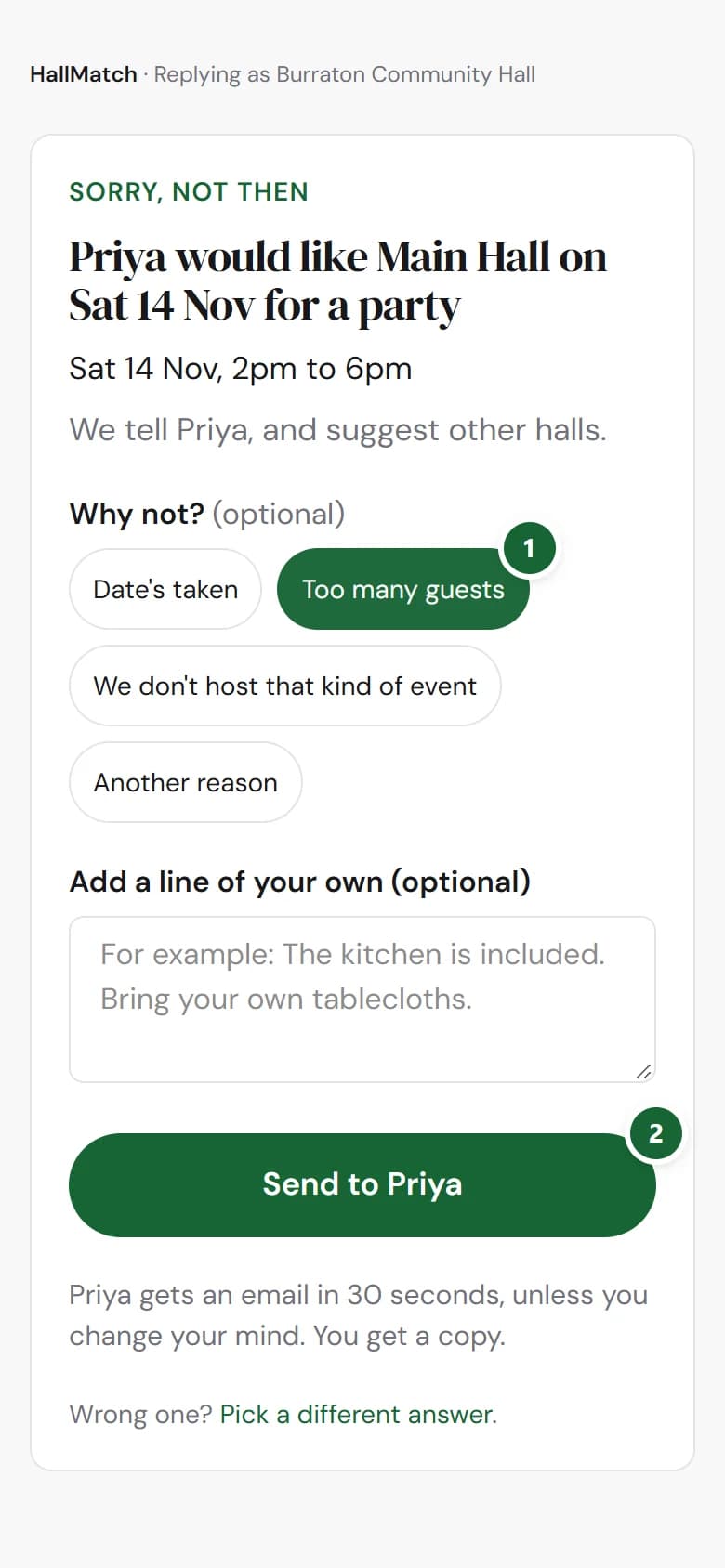
Sorry, not then now lets you pick a reason, so the hirer knows whether to try another date or another hall.
How to use it
- Step 1: In the enquiry email, press Sorry, not then.
- Step 2: Under Why not?, tap Date's taken, Too many guests, We don't host that kind of event or Another reason. Tap it again to clear it.
- Step 3: Add a line of your own if you like, then press Send to the hirer.
Good to know
- A reason is optional. Your answer goes with or without one.
- The hirer reads it as a sentence, such as that the hall can't take a group that size, with your own line after it.
- Date's taken is offered only when the hirer gave a date.
- You still have thirty seconds to change your mind.
Not on HallMatch yet? What HallMatch does for halls →