NewFor halls
Get a first draft of your hall’s description, then make it your own
Stuck for words? About the hall can suggest a description from your listing and a few notes. Nothing changes until you choose to use it.
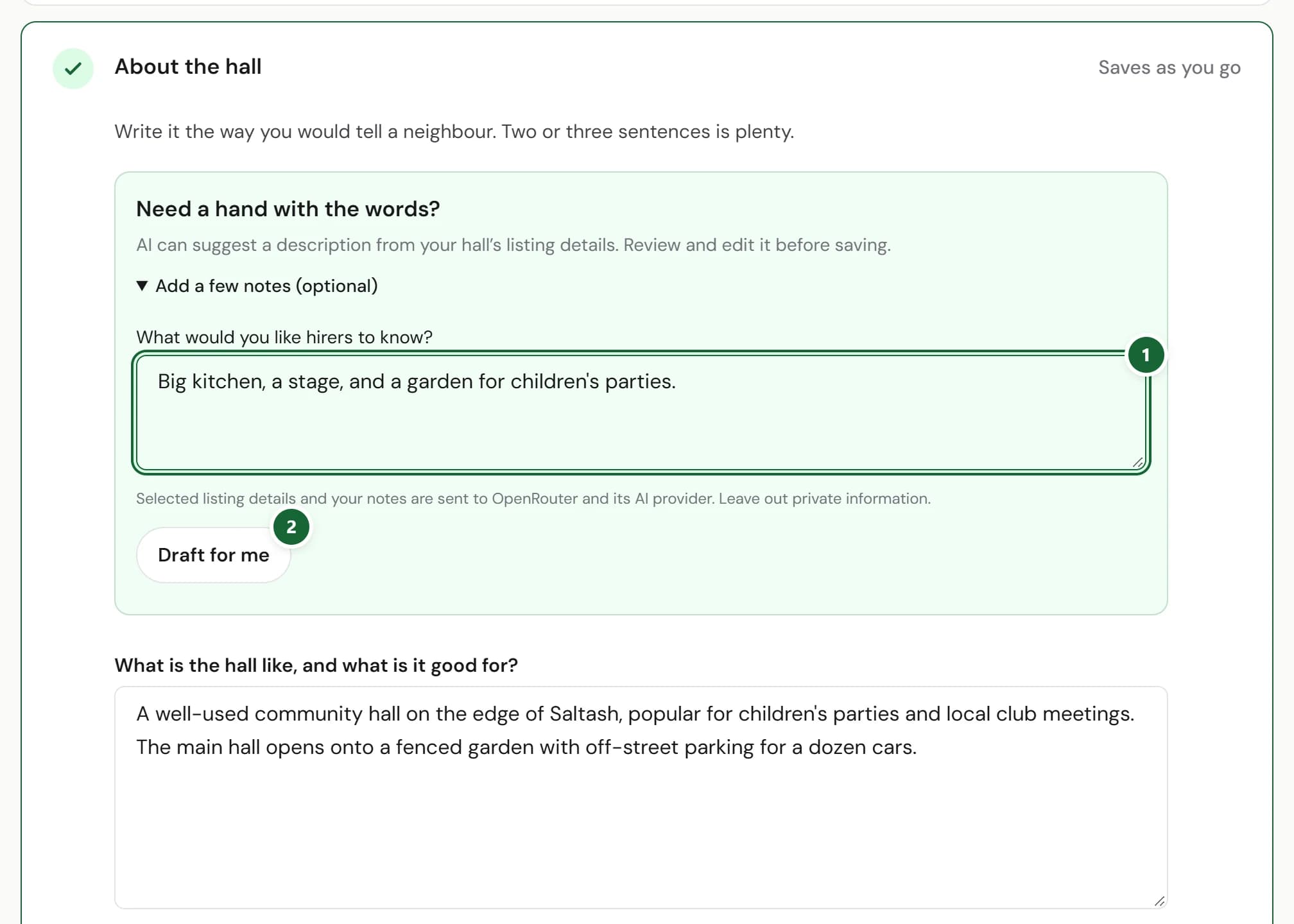
How to use it
- Step 1: In Your listing, open About the hall. Under Need a hand with the words?, press Add a few notes (optional) and say what you’d like hirers to know.
- Step 2: Press Draft for me. Read the suggestion and check the facts.
- Step 3: Press Use and save description to put it on your listing, then edit it as you like. Discard suggestion leaves your words as they are.
Good to know
- Your listing details and your notes are sent to OpenRouter and its AI provider to write the draft. Leave out anything private.
- Changed your mind after using it? Restore previous description puts your old words back.
- You can ask for up to ten drafts a day.
- If you have a website, its welcome and About sections offer the same help.
Where to find itYour listing, then About the hall
Show me Not on HallMatch yet? What HallMatch does for halls →