NewFor halls
Set your hall’s opening hours yourself
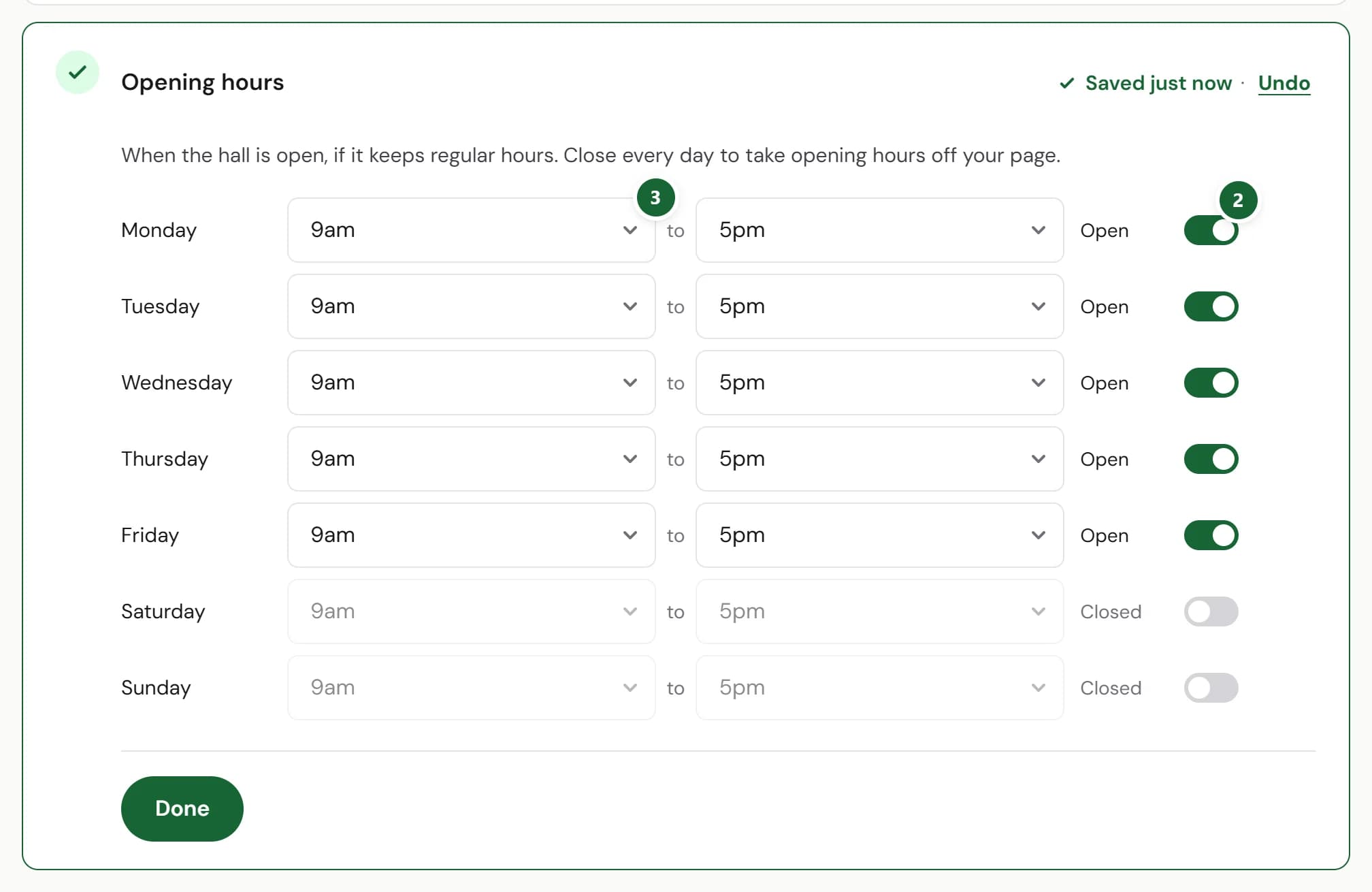
A new Opening hours card on your listing sets the times hirers see on your page, one day at a time.
How to use it
- Step 1: In Your listing, press Add hours on Opening hours, the last card.
- Step 2: Switch each day the hall opens from Closed to Open.
- Step 3: Choose when it opens and closes that day. Each change saves as you go.
Good to know
- Only add opening hours if the hall keeps regular ones. Close every day to take them off your page.
- Your hours show on your venue page and in search results.
Where to find itYour listing, then Opening hours
Show me Not on HallMatch yet? What HallMatch does for halls →