NewFor halls
Choose who at your hall gets which emails from HallMatch
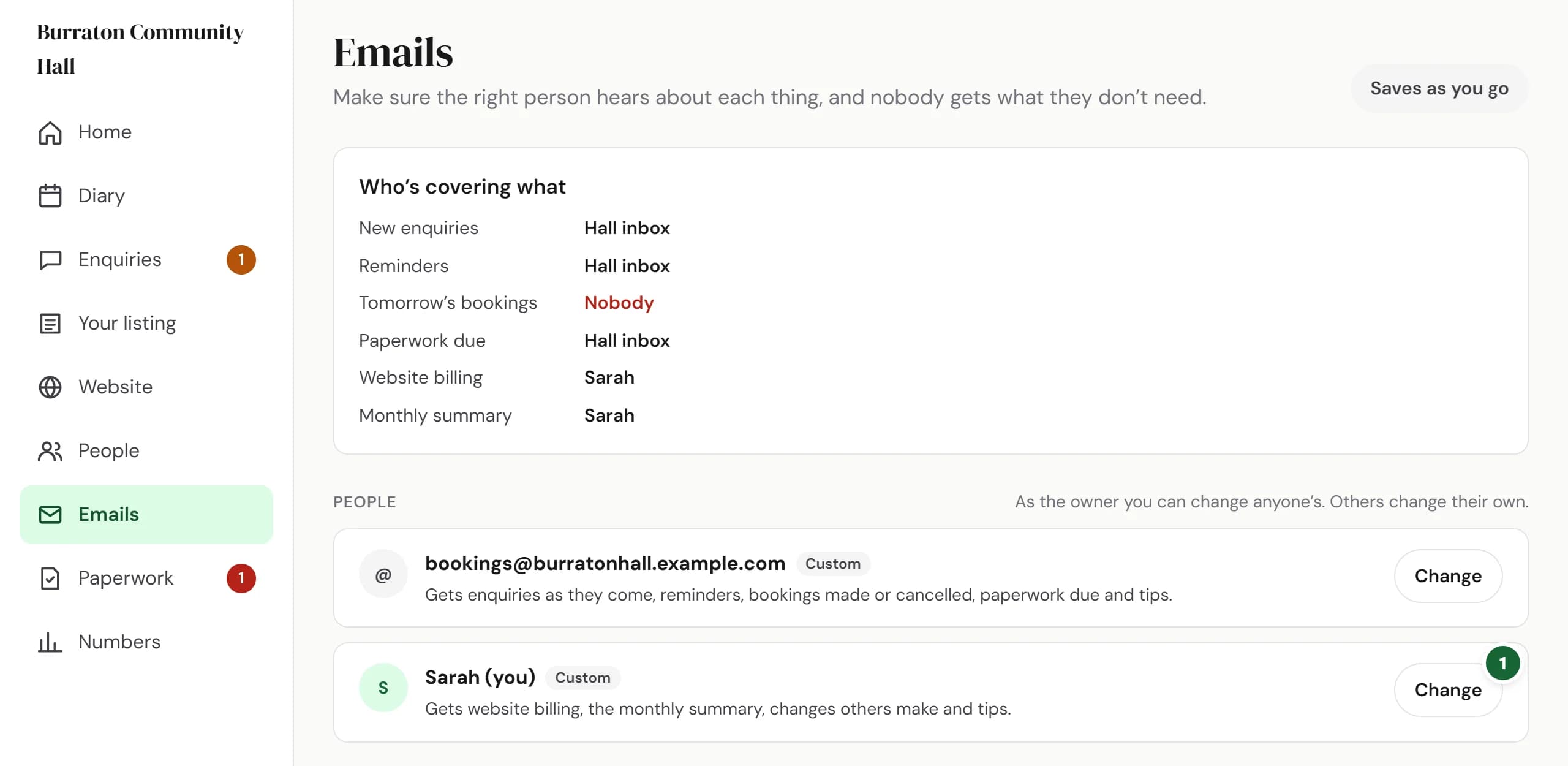
A new Emails page sends enquiries, reminders and tomorrow’s bookings to the right person, and hands them over while someone is away.
How to use it
- Step 1: Open Emails in your dashboard. Who’s covering what shows who gets each kind of email. Press Change on someone’s card.
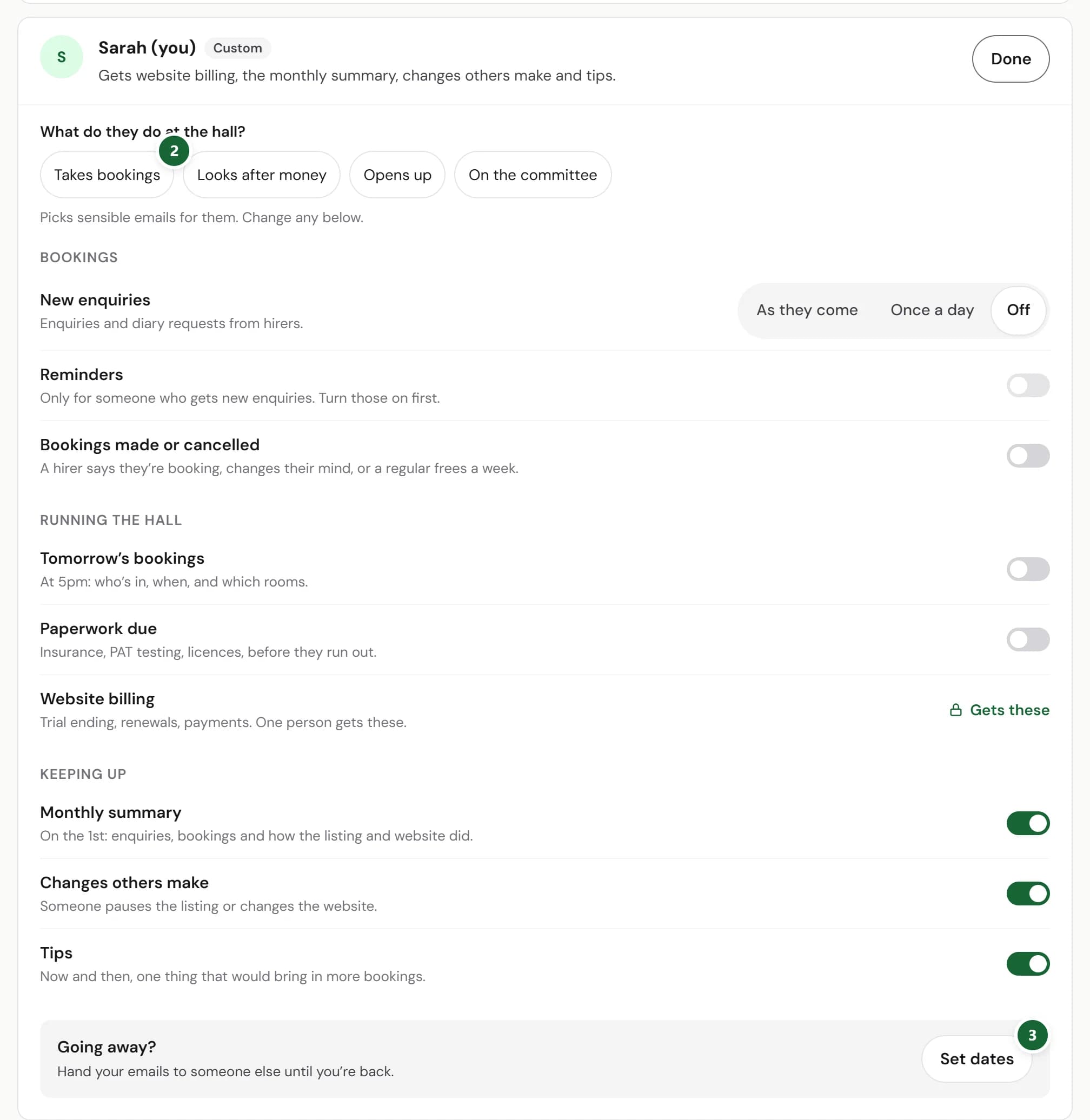
- Step 2: Under What do they do at the hall?, pick Takes bookings, Looks after money, Opens up or On the committee. Then change any email below it.
- Step 3: Going away? Press Set dates and choose who gets their emails until they’re back.
Good to know
- New enquiries can come As they come or Once a day.
- The owner can change anyone’s emails. Everyone else changes their own.
- Somebody always gets new enquiries: the last person getting them can’t switch them off unless your listing is paused.
- Website billing goes to one person only.
Where to find itEmails
Show me Not on HallMatch yet? What HallMatch does for halls →