NewFor halls
Tell us what’s missing, from any page of your dashboard
Something missing, confusing or annoying? Write us a sentence from wherever you are, and it goes straight to the people building HallMatch.
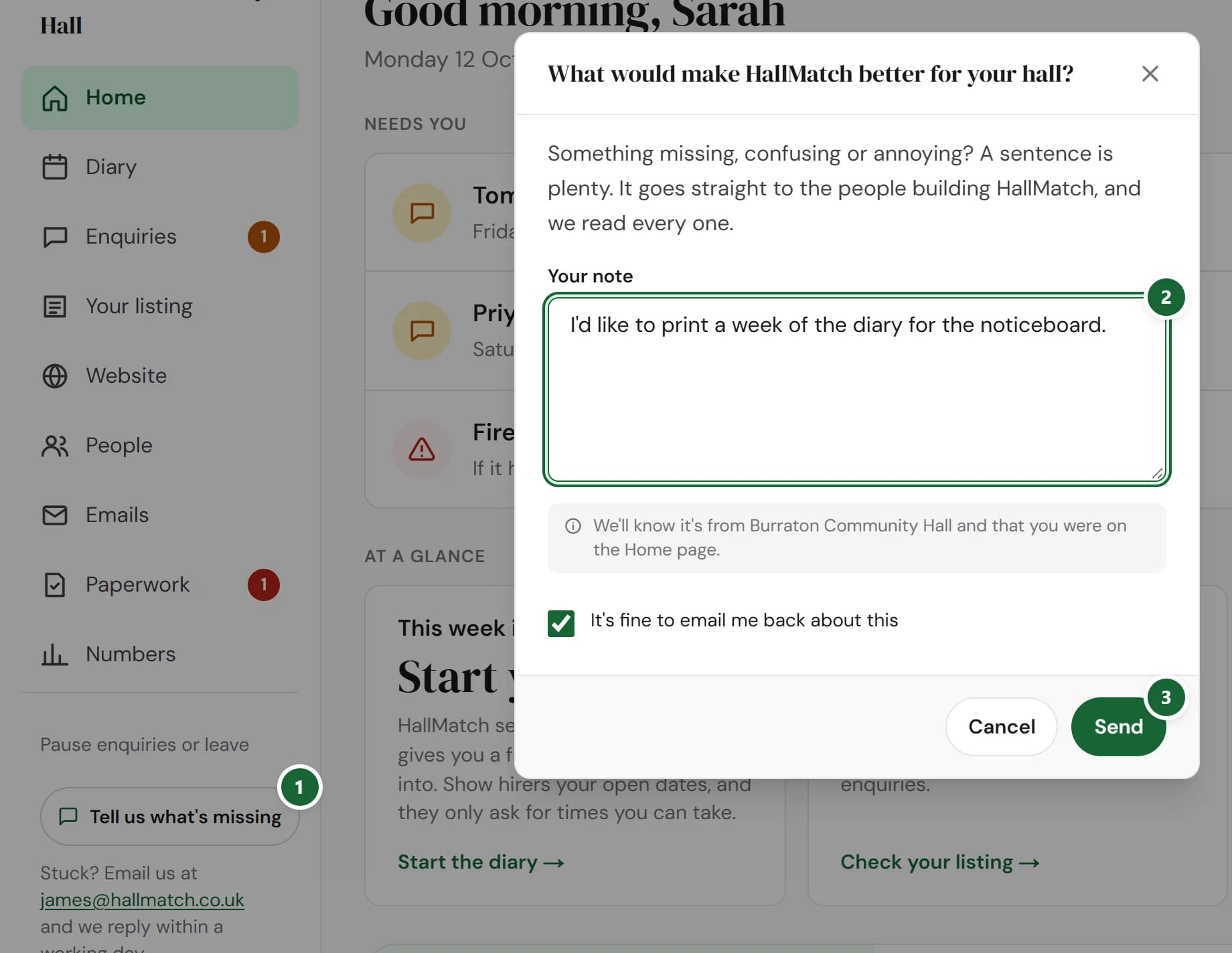
How to use it
- Step 1: On any page of your dashboard, press Tell us what's missing.
- Step 2: Write a sentence in Your note. Leave It's fine to email me back about this ticked if you’re happy for us to ask you about it.
- Step 3: Press Send.
Good to know
- We attach your hall’s name and the page you were on, so you don’t have to explain where.
- We read every note. If we build something because of it, you’ll see it here on What’s new.
Where to find itAny dashboard page, then Tell us what's missing
Show me Not on HallMatch yet? What HallMatch does for halls →