NewFor halls
Confirm a held date, give the hirer longer, or let it go
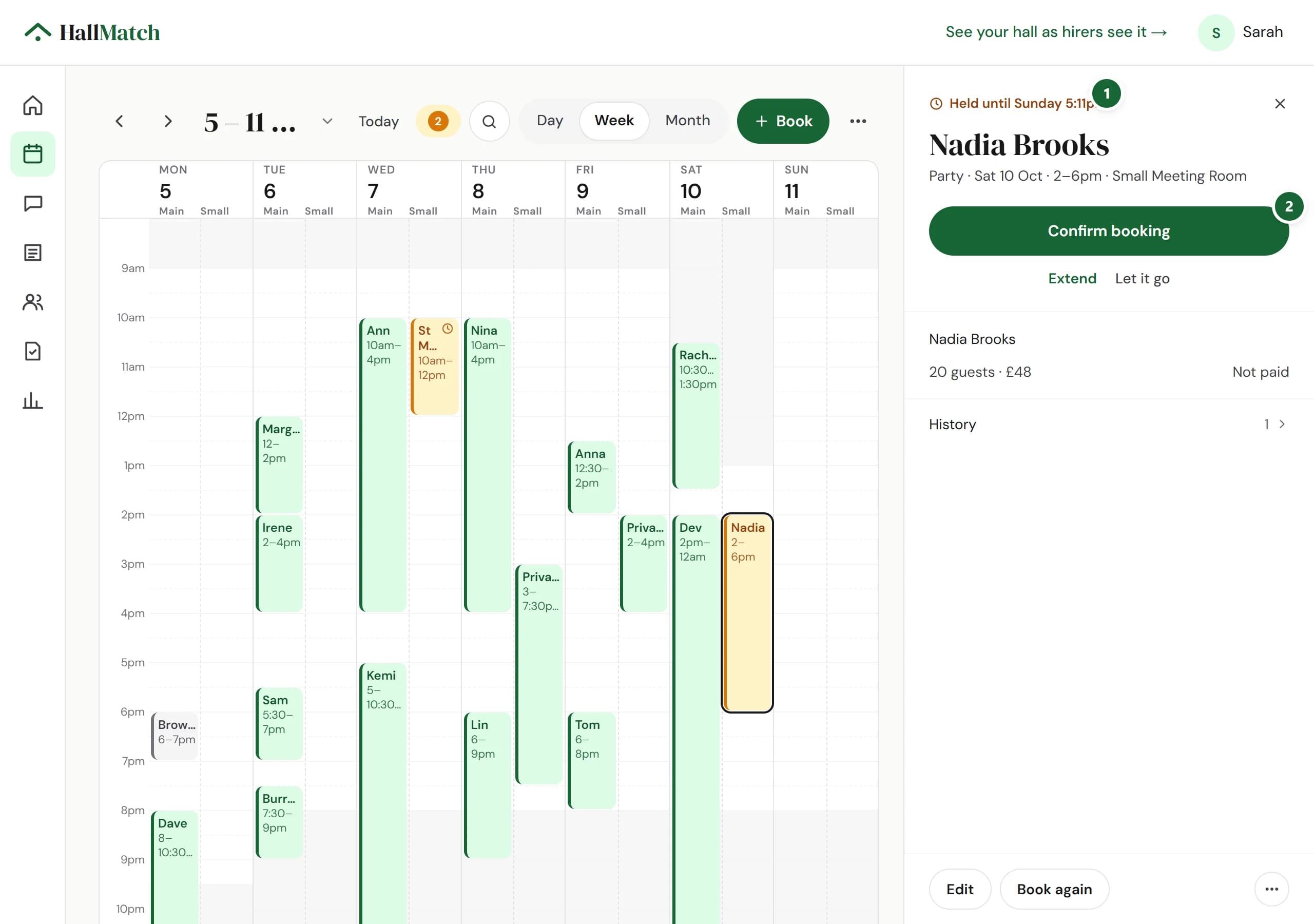
A date pencilled in for a hirer now has its own buttons: Confirm booking, Extend and Let it go.
How to use it
- Step 1: Open Diary and click the held booking. The top says Held until and the day.
- Step 2: Press Confirm booking when the hirer says yes, Extend to give them longer, or Let it go to free the date.
Good to know
- A hold goes in when you say Yes, it's free to an enquiry, or when you press Hold on a new booking.
- Right-click a hold, or press and hold on a phone, to confirm or extend it without opening it.
- Once it's booked, Mark paid sits beside the price.
Where to find itDiary
Show me Not on HallMatch yet? What HallMatch does for halls →