What's new
What we've changed on HallMatch
Every change we make for halls and the people who hire them, newest first. Each one shows you the screen and says how to use it.
Last change 23 September 2026 · 29 changes so far
September 2026
September was about answering hirers faster, and keeping a hall's diary honest.
Everything · 8
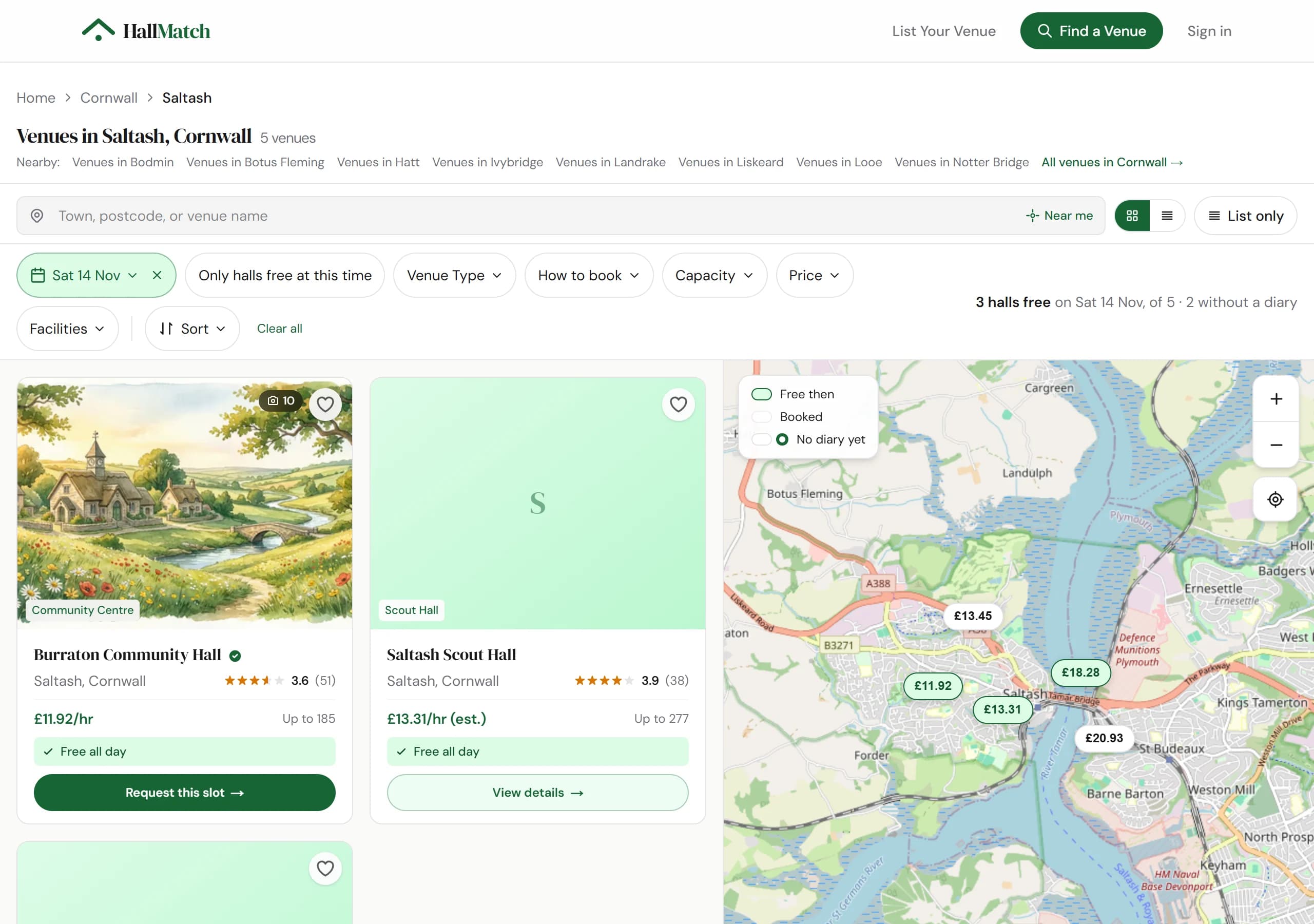
NewSearch with a date and the halls that are free come firstPick a date and halls that are free that day lead the results, with a Request this slot button.
How to use it
- Step 1: Search for a place, then pick your date with the date button above the results.
- Step 2: Halls free that day say Free all day or give the free hours, and come first. The line on the right says how many are free.
- Step 3: Press Request this slot on a free hall, or open it: your date comes with you.
Good to know
- Only halls that keep their diary on HallMatch can say they're free. A hall without one is never shown as busy.
- Only halls free at this time hides the rest.
ImprovedHalls that answer their enquiries now come first in searchAmong halls a similar distance away, the ones that answer come first and the ones that never do come last.
Good to know
- Distance still comes first: a quick hall twenty miles away won't jump ahead of one round the corner.
- A hall that has had five or more enquiries in three months and answered none goes to the bottom of its group.
- For halls, the quickest way up is to answer every enquiry, even when the answer is no. One press in the enquiry email counts.
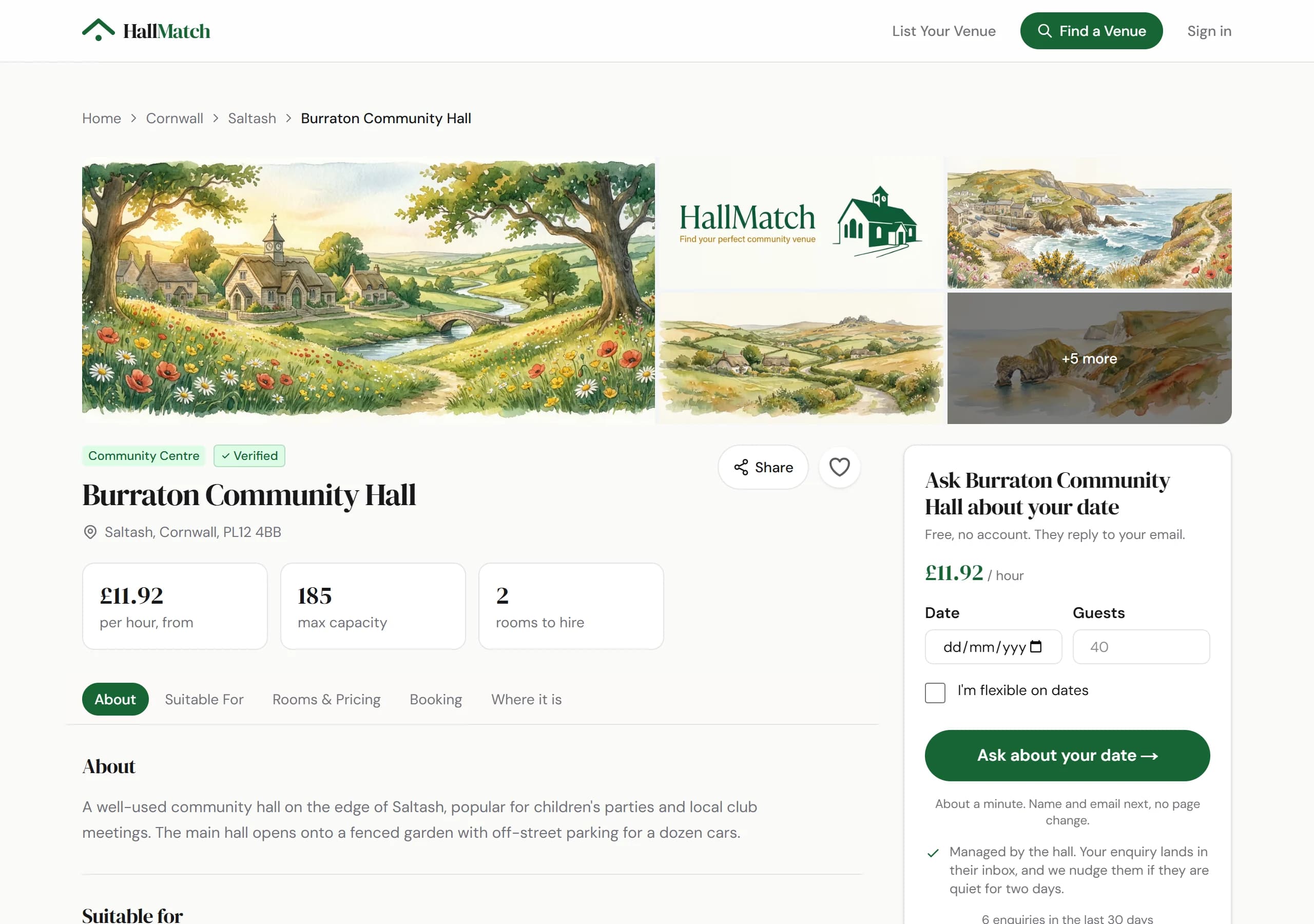
ImprovedAsk a hall about your date straight from its pageThe box on each hall's page now starts with your date and how many guests.
How to use it
- Step 1: On the hall's page, put your date and number of guests in the box beside the photos, or tick I'm flexible on dates.
- Step 2: Press Ask about your date, then add your times, the occasion, your name and email, and send.
Good to know
- On a computer the box stays in view as you scroll.
- Where a hall hasn't given a price, the box shows what it has told us instead, such as the room and how many it seats.
FixedA car park isn't outdoor spaceWe've taken Outdoor space off listings where all we knew was that the hall had a car park.
What was wrong
Thousands of listings said a hall had Outdoor space when all we knew was that it had a car park. That came from the way we first gathered hall details.
What's different now
Outdoor space is off every listing where the hall hadn't told us so itself.
If this affected you
If your hall does have a garden, a field or a play area, add it under Your listing, then Facilities.
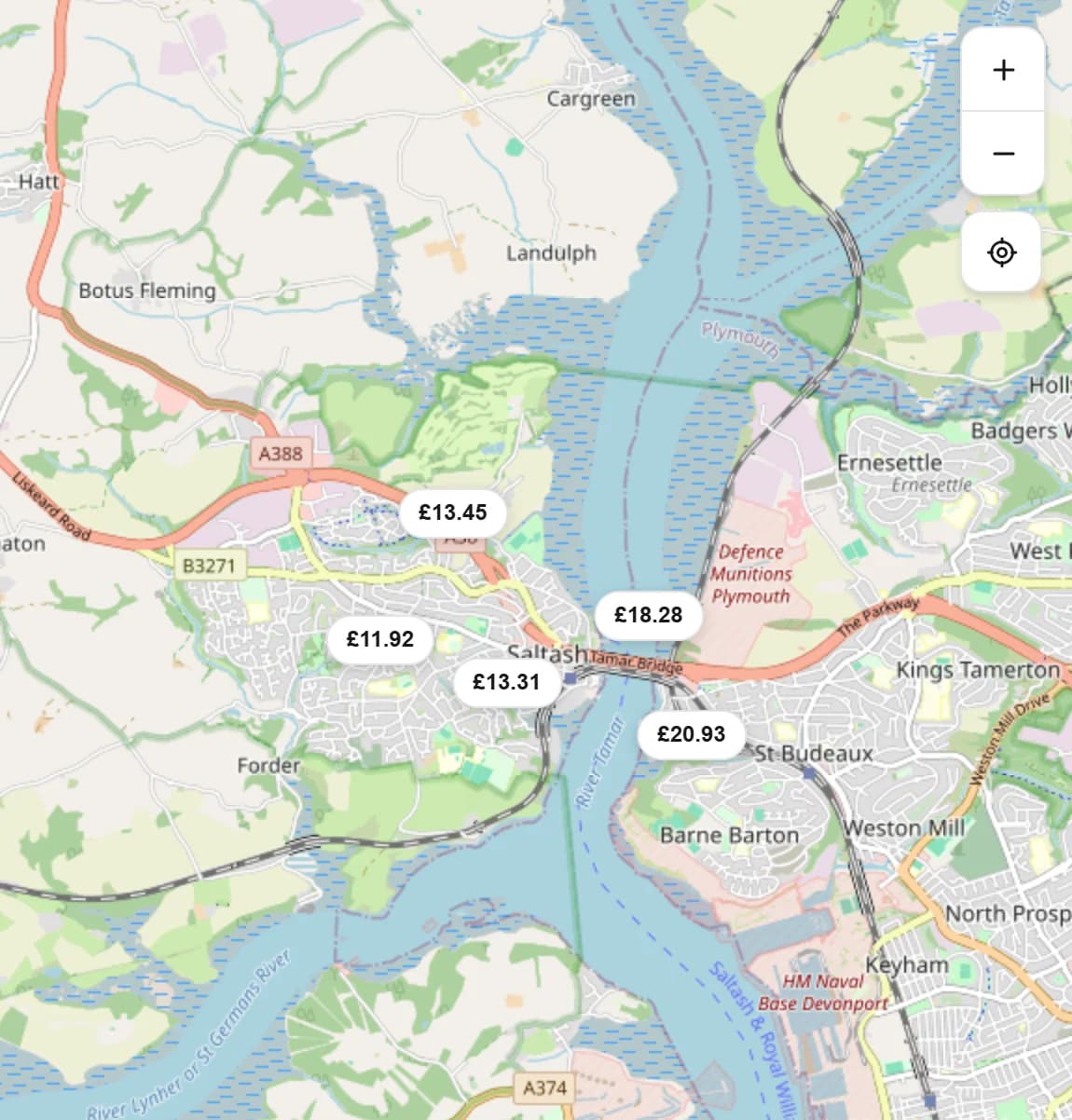
FixedThe map on Find a venue shows halls againThe map beside the search results works again, and follows you as you move it.
What was wrong
The map beside the search results had stopped showing halls, and on a wide search it never finished loading.
What's different now
It shows the halls in the part of the map you're looking at, with prices, and updates as you move or zoom. Zoomed right out it counts halls by county instead of drawing thousands of pins. Back takes you back to your search.
FixedDate and time boxes no longer zoom your iPhone inTapping a date or time box on an iPhone no longer leaves the page stuck zoomed in.
What was wrong
On an iPhone, tapping the date, or the From and To times, in the search filters, or the room picker at the top of the hall diary, zoomed the page in and left it there.
What's different now
They don't any more.
FixedThe Did the hall reply? links work againThe Yes and No links in our follow-up email open the right page again.
What was wrong
A couple of days after you send an enquiry, we email to ask whether the hall got back to you. From March until 18 September, its Yes and No links opened a page that didn't load. We're sorry to everyone who pressed one and got nowhere.
What's different now
The links work, and we no longer send that follow-up about enquiries more than a week old.
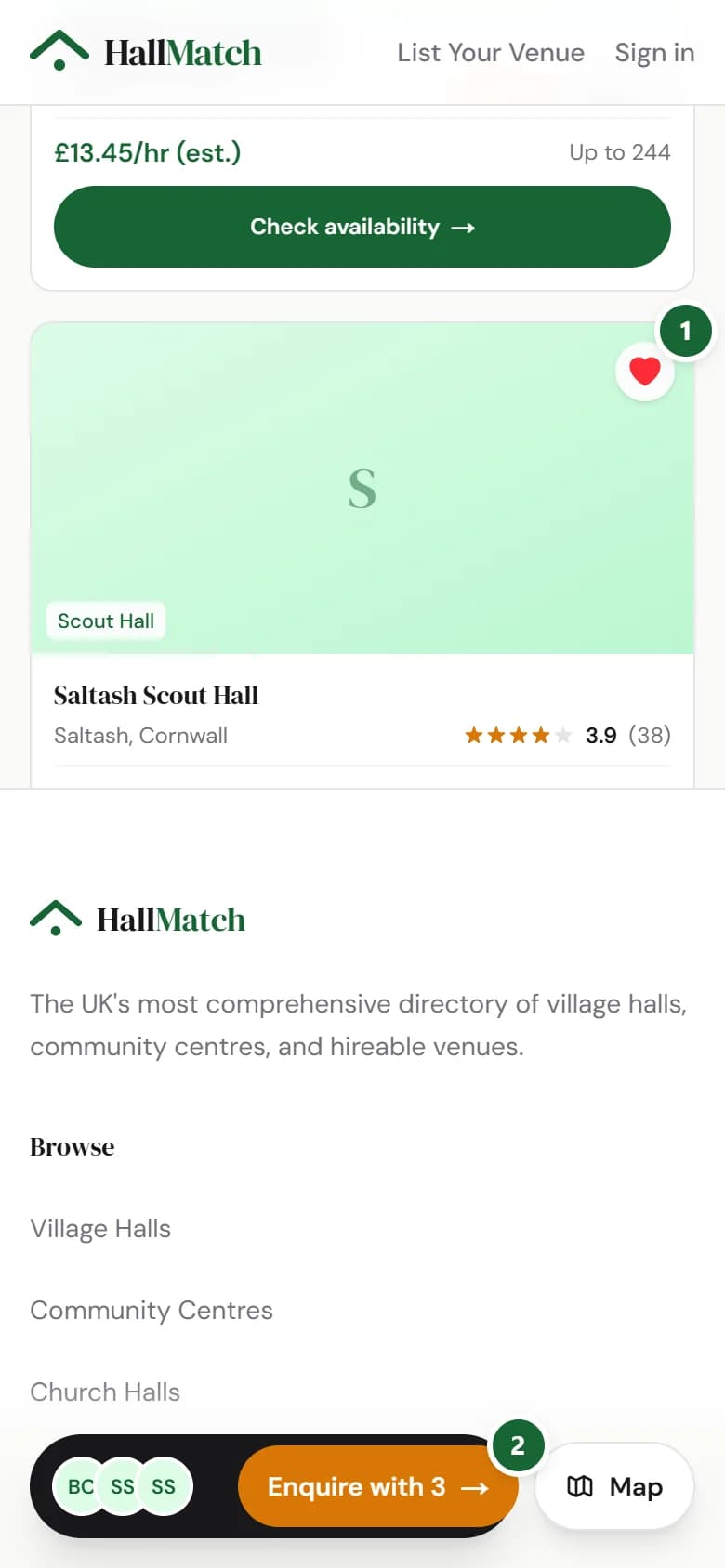
NewAsk up to five halls at once, freeDescribe your event once, pick up to five halls, and we send your enquiry to each of them.
How to use it
- Step 1: In Find a venue, press the heart on each hall you like. They go on your shortlist.
- Step 2: Press Enquire with at the foot of the screen, describe your date, place and guests once, and send.
Good to know
- Their answers come straight to your email.
- It's free, and each hall gets your enquiry just as if you'd written to it yourself.