ImprovedFor halls
Add all your paperwork dates in one go
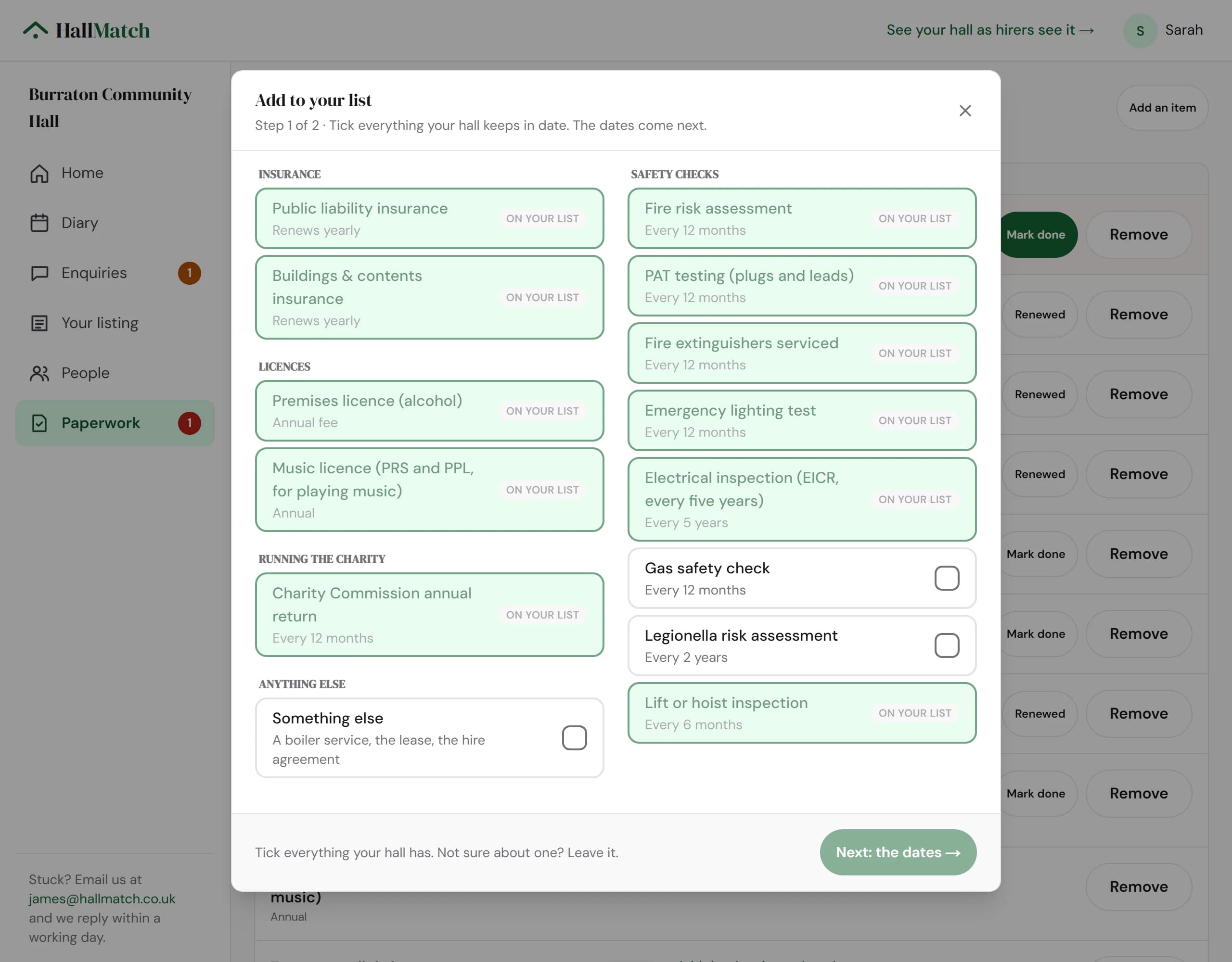
Tick everything your hall keeps in date, then fill in the dates on one screen.
How to use it
- Step 1: Open Paperwork and press Add an item.
- Step 2: Tick everything your hall keeps in date: insurance, licences, safety checks and the rest. Press Next: the dates.
- Step 3: Put in the dates you know. Leave the others blank and add them later.
Good to know
- As you type a date it shows when that item is next due and when we'll remind you.
- Anything already on your list stays ticked, so nothing moves while you pick.
Where to find itPaperwork, then Add an item
Show me Not on HallMatch yet? What HallMatch does for halls →