ImprovedFor halls
Booking requests and enquiries are now in one place
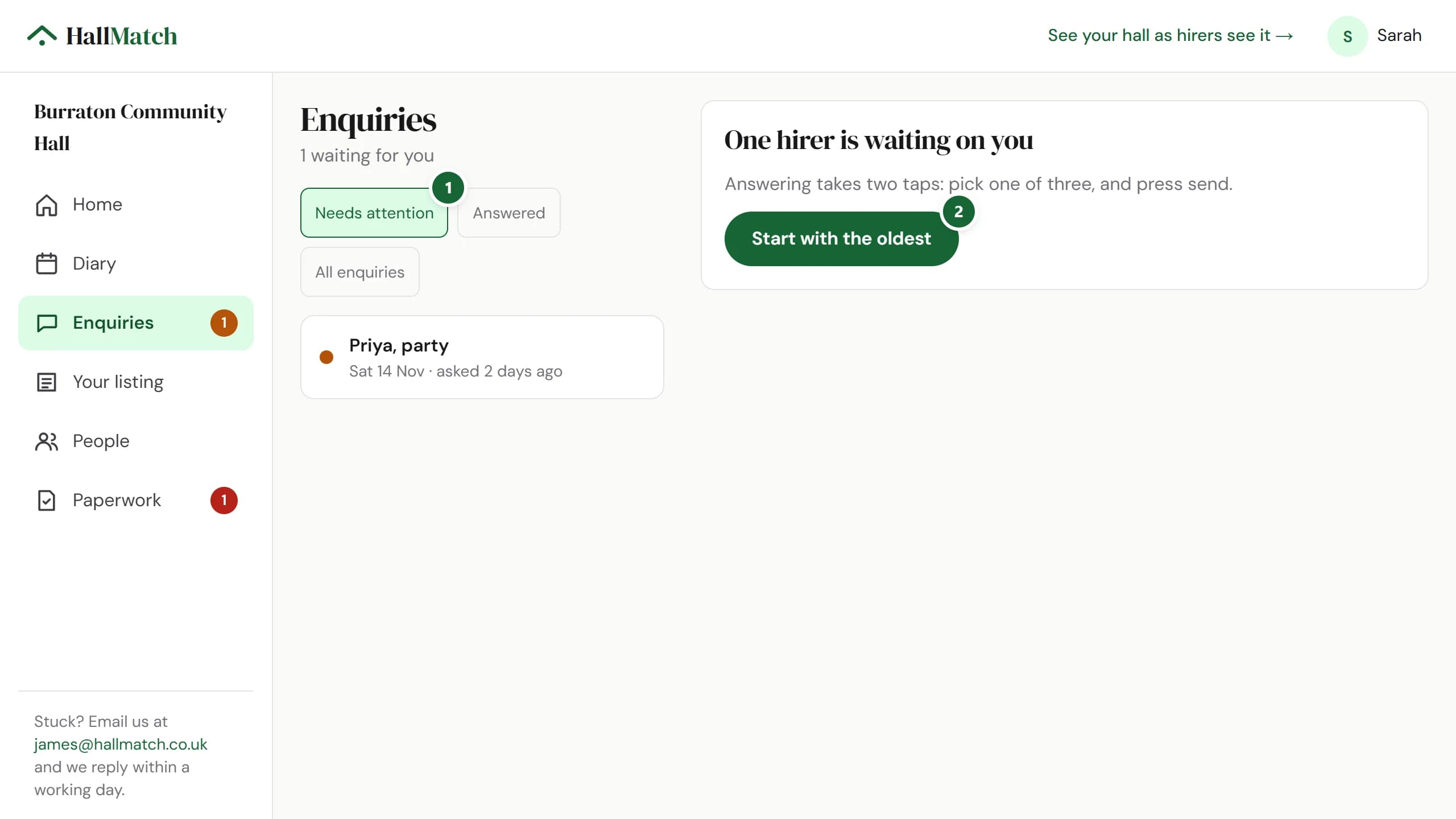
Everything a hirer sends you is under Enquiries, sorted into Needs attention, Answered and All enquiries.
How to use it
- Step 1: Open Enquiries. Needs attention lists the hirers waiting on you, oldest first.
- Step 2: Press Start with the oldest and answer them one at a time.
Good to know
- Booking requests from your diary keep their Accept button, and you can still offer another time.
- Links in older emails still work and open the right enquiry.
Where to find itEnquiries
Show me Not on HallMatch yet? What HallMatch does for halls →