NewFor halls
Put your hall's calendar on your own website
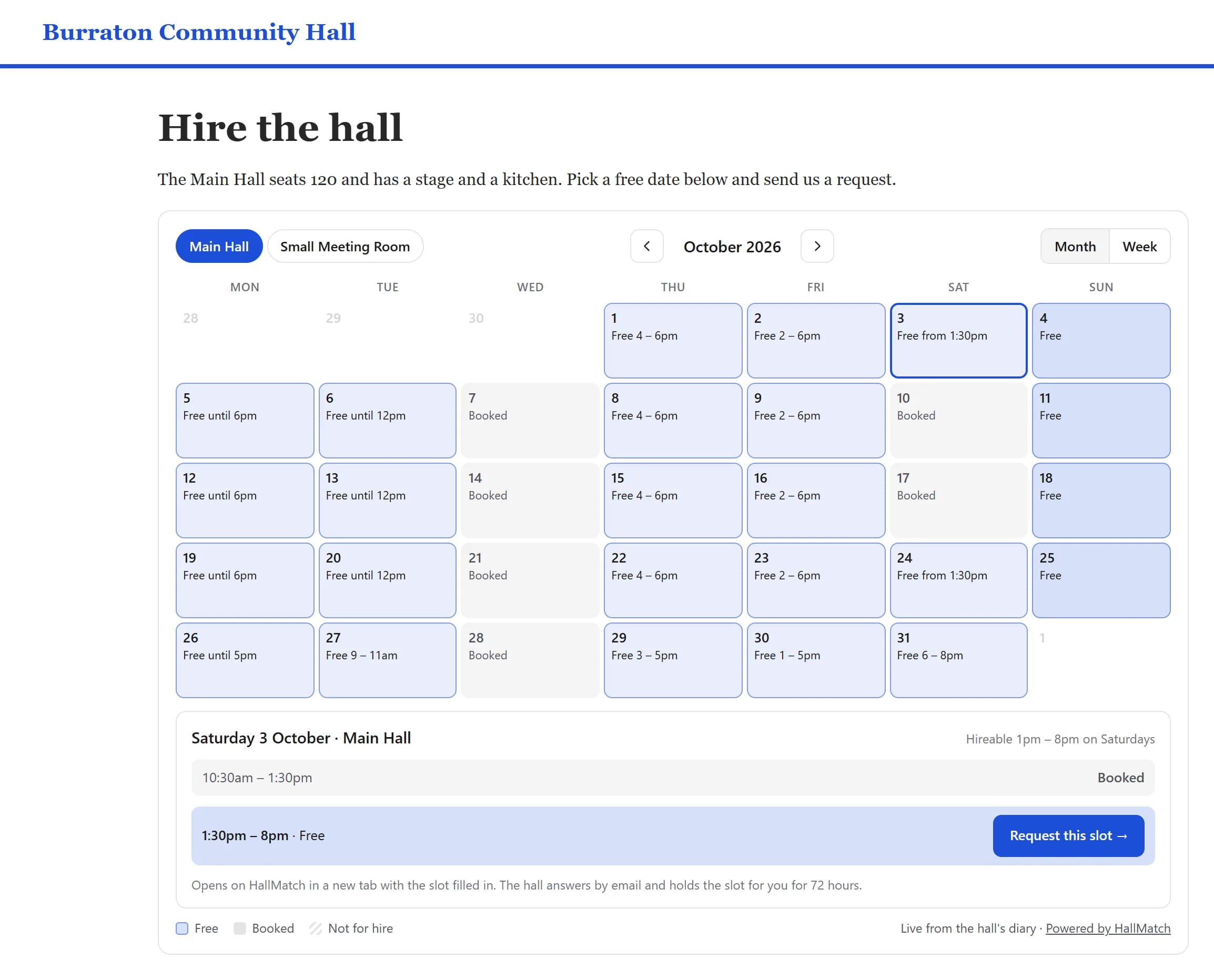
Paste one line into your hall's website and visitors see when you're free, then ask for a slot.
How to use it
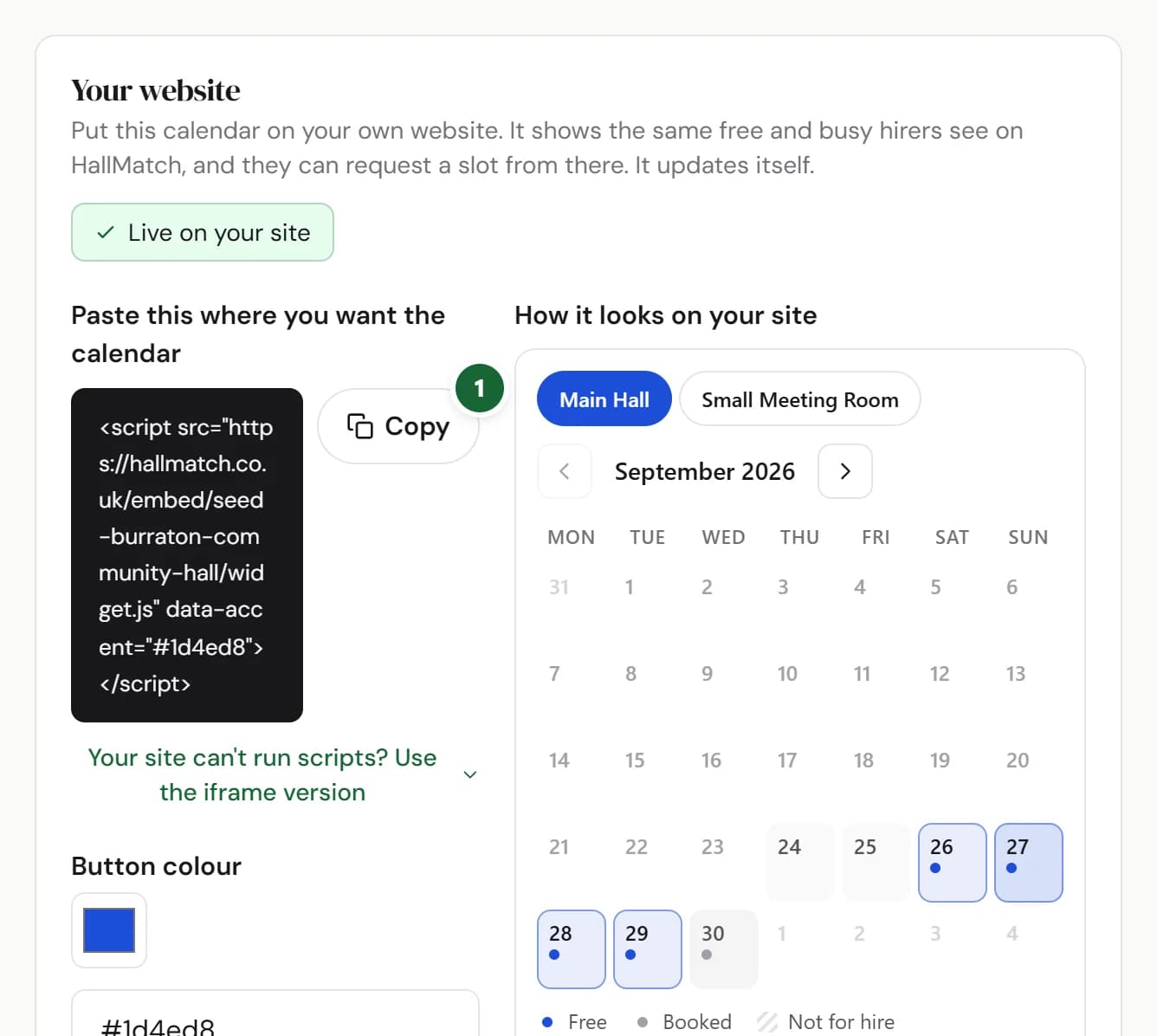
- Step 1: Press Copy beside the box headed Paste this where you want the calendar.
- Step 2: Paste it into your website, on the page where you want the calendar. On Wix, or any site that won't take scripts, press Your site can't run scripts? Use the iframe version first.
- Step 3: Choose a Button colour to match your site. How it looks on your site shows the result as you go.
Good to know
- Visitors see free and busy only, room by room. Never who has booked or what for.
- Their request comes to you like any other enquiry, and the slot is held for them while you answer.
- It says Live on your site once the calendar has loaded on your website.
Where to find itDiary, then Settings, then Your website
Show me Not on HallMatch yet? What HallMatch does for halls →