NewFor halls
Invite someone else to help look after the hall
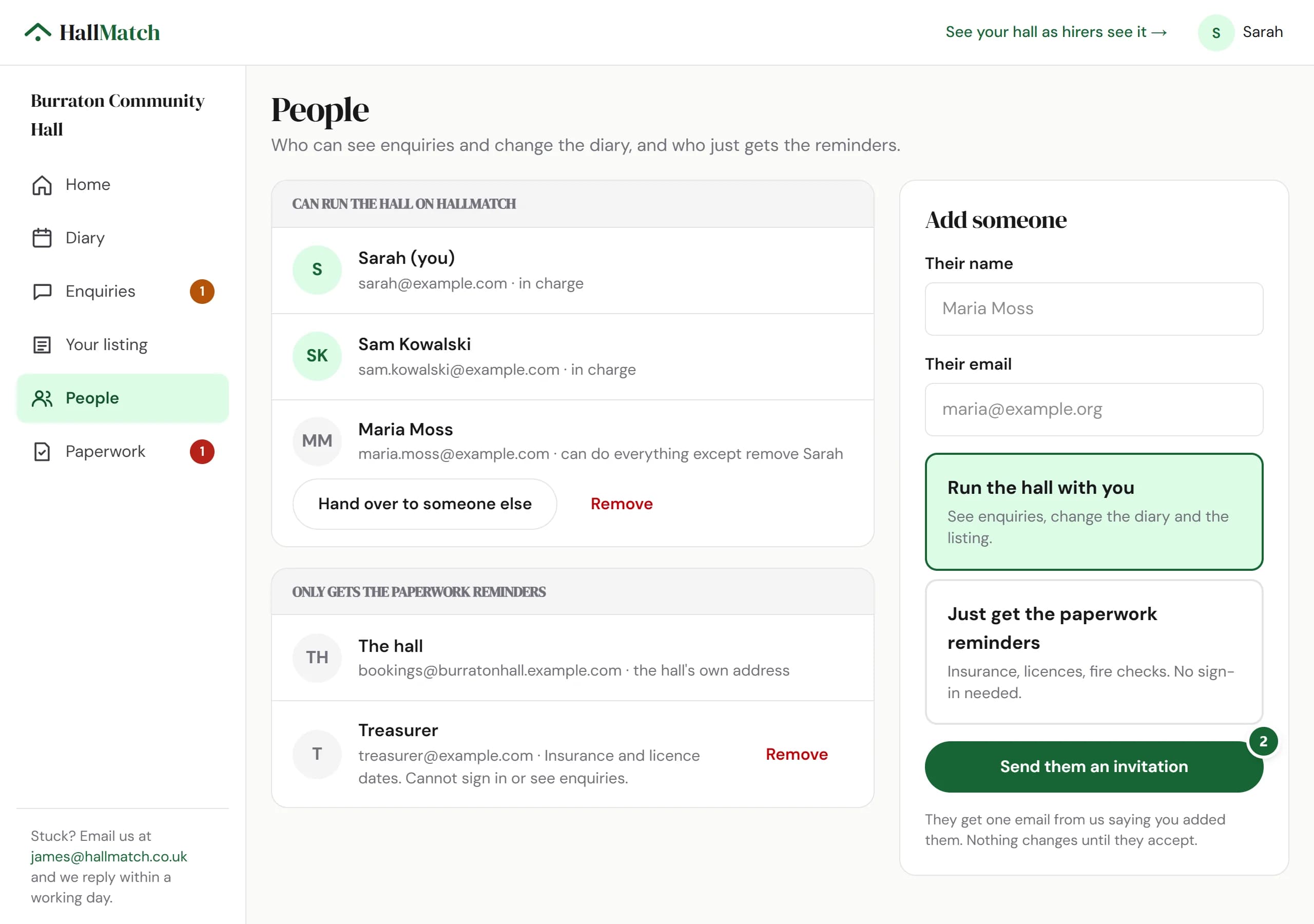
Add the booking secretary, the treasurer or anyone else who helps, and choose what they can do.
How to use it
- Step 1: Open People. Under Add someone, put in their name and email.
- Step 2: Choose Run the hall with you or Just get the paperwork reminders, and press Send them an invitation.
Good to know
- You can see whether they've opened it yet.
- Stepping down? Hand over to someone else on the same page.
Where to find itPeople
Show me Not on HallMatch yet? What HallMatch does for halls →