NewFor halls
Regular hirers can give back a week they don't need
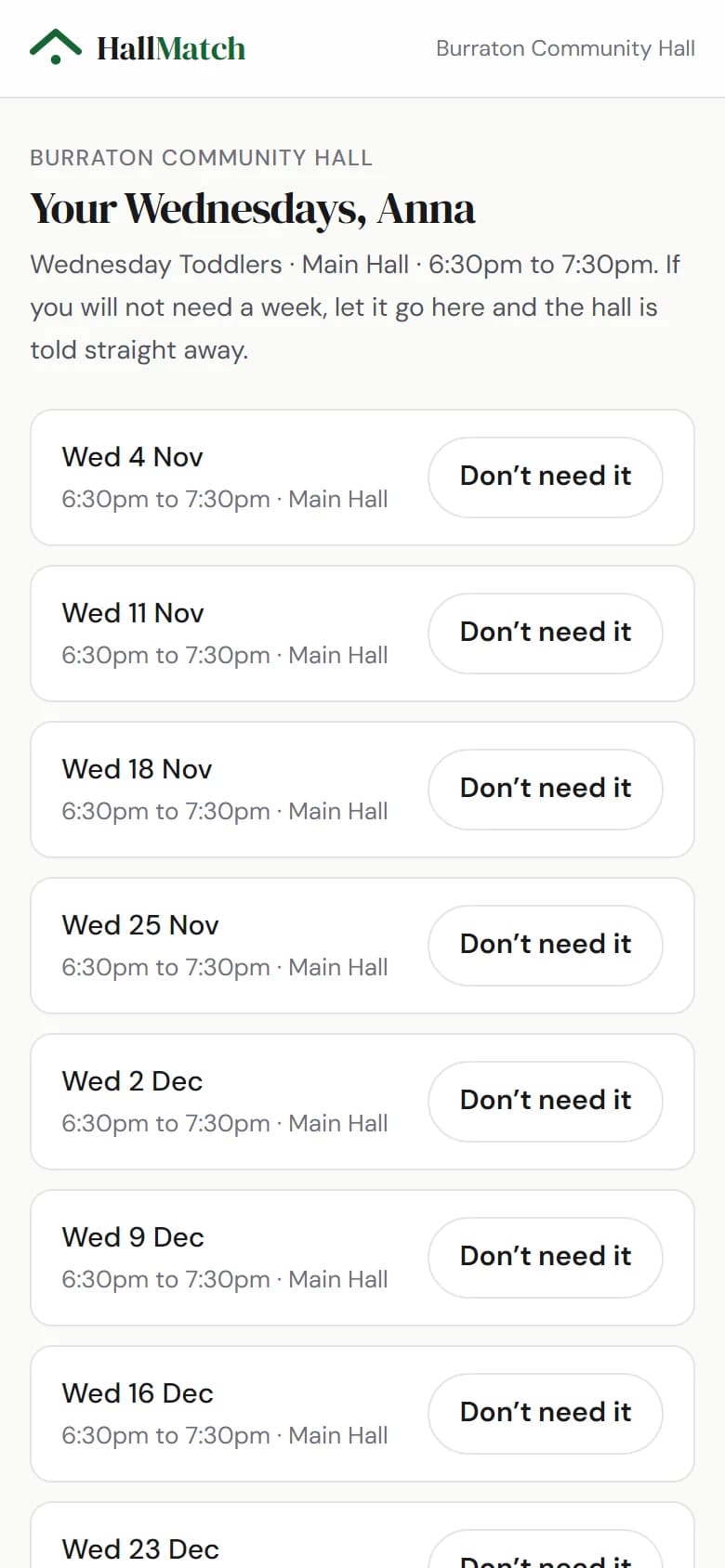
Send each regular their own link, and they can let a week go themselves.
How to use it
- Step 1: Open the regular hirer and, under Their own link, press the button to email them their link.
Good to know
- Their link lists their coming sessions, each with a Don't need it button. A week they give back shows free in your diary straight away, marked as from their link.
- They don't need an account.
- You can still skip a week yourself: tap the block in the calendar and choose Skip a week….
Where to find itDiary, then Regular hirers
Show me Not on HallMatch yet? What HallMatch does for halls →