NewFor halls
Regular hirers can skip the school holidays and bank holidays
Mark a regular as Term time only and their sessions stop appearing in the school holidays.
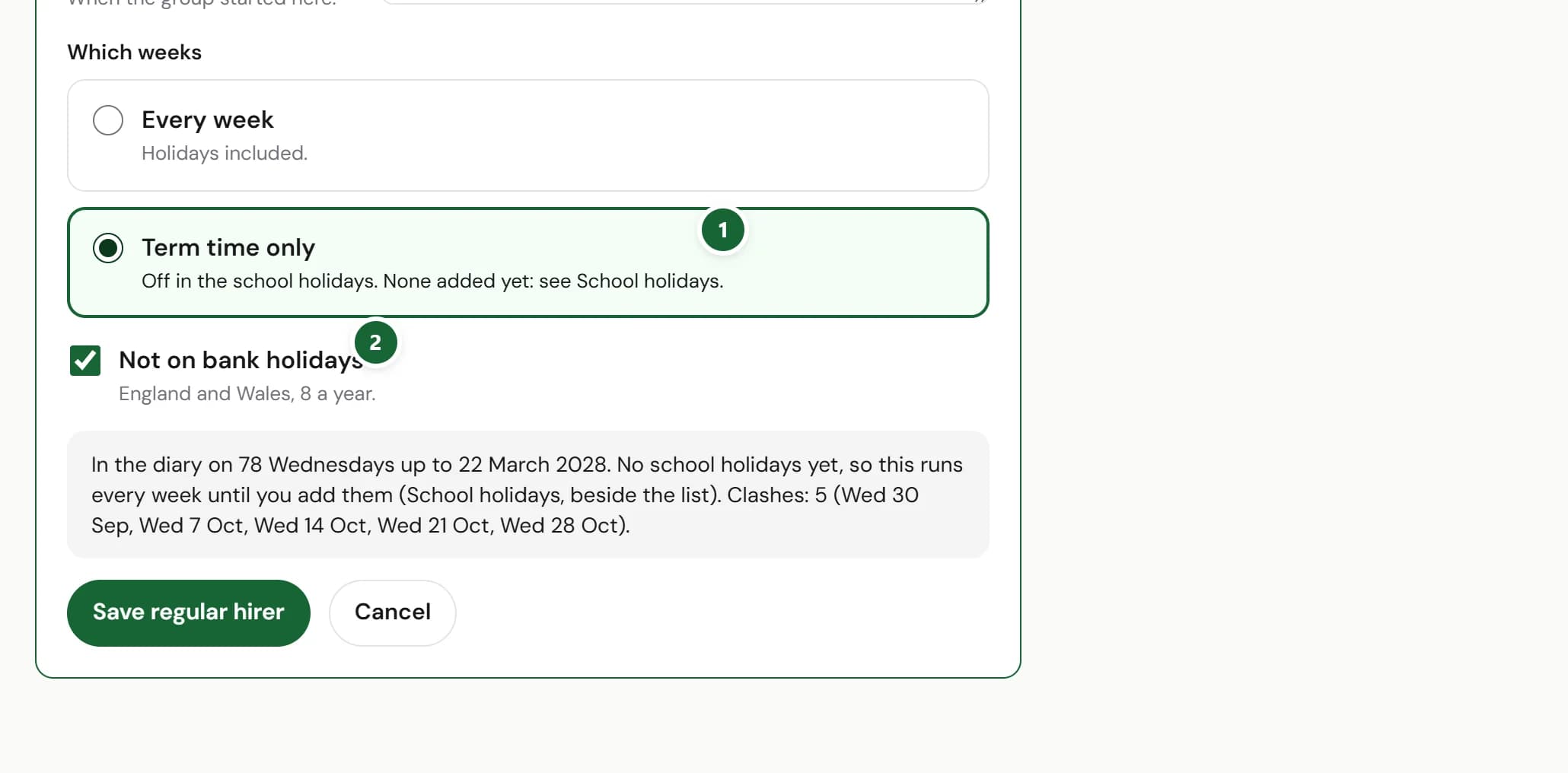
How to use it
- Step 1: Open the regular hirer (or press + Regular hirer) and under Which weeks choose Term time only.
- Step 2: Leave Not on bank holidays ticked if they don't meet on bank holidays. It starts ticked.
- Step 3: Tell the diary when your school holidays are, in School holidays beside the list: press + Add a holiday, or, for a hall in the London Borough of Hounslow, Use your council's dates.
Good to know
- Until the school holidays are in, Term time only runs every week, and the form says so.
- Hounslow's dates are the only council's so far. Tell us yours and we'll add it.
- The diary now looks eighteen months ahead. Further out, hirers see Too far ahead to show rather than a date that only looks free.
Where to find itDiary, then Regular hirers
Show me Not on HallMatch yet? What HallMatch does for halls →