ImprovedFor halls
A simpler dashboard, built around what a hall actually does
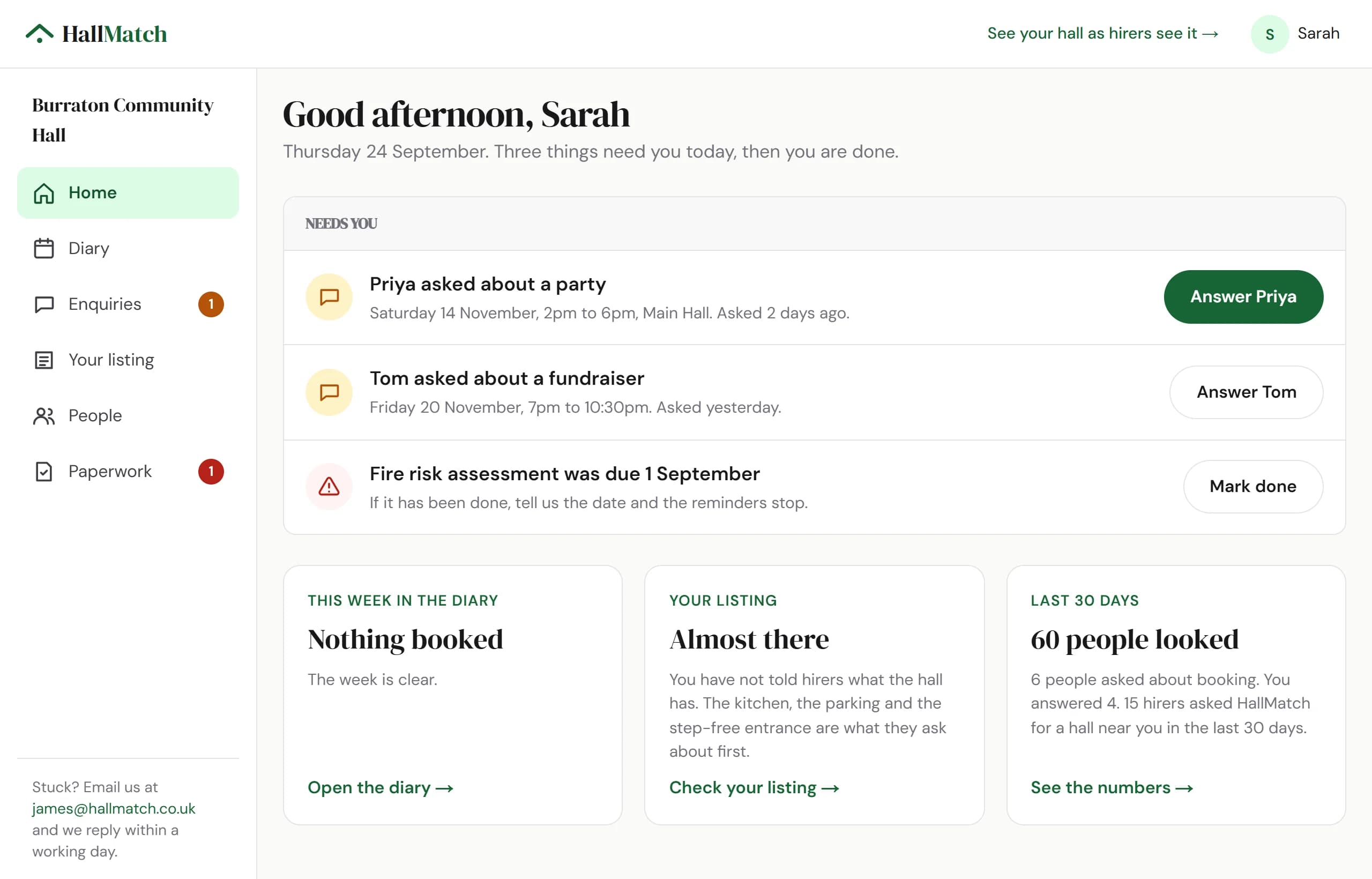
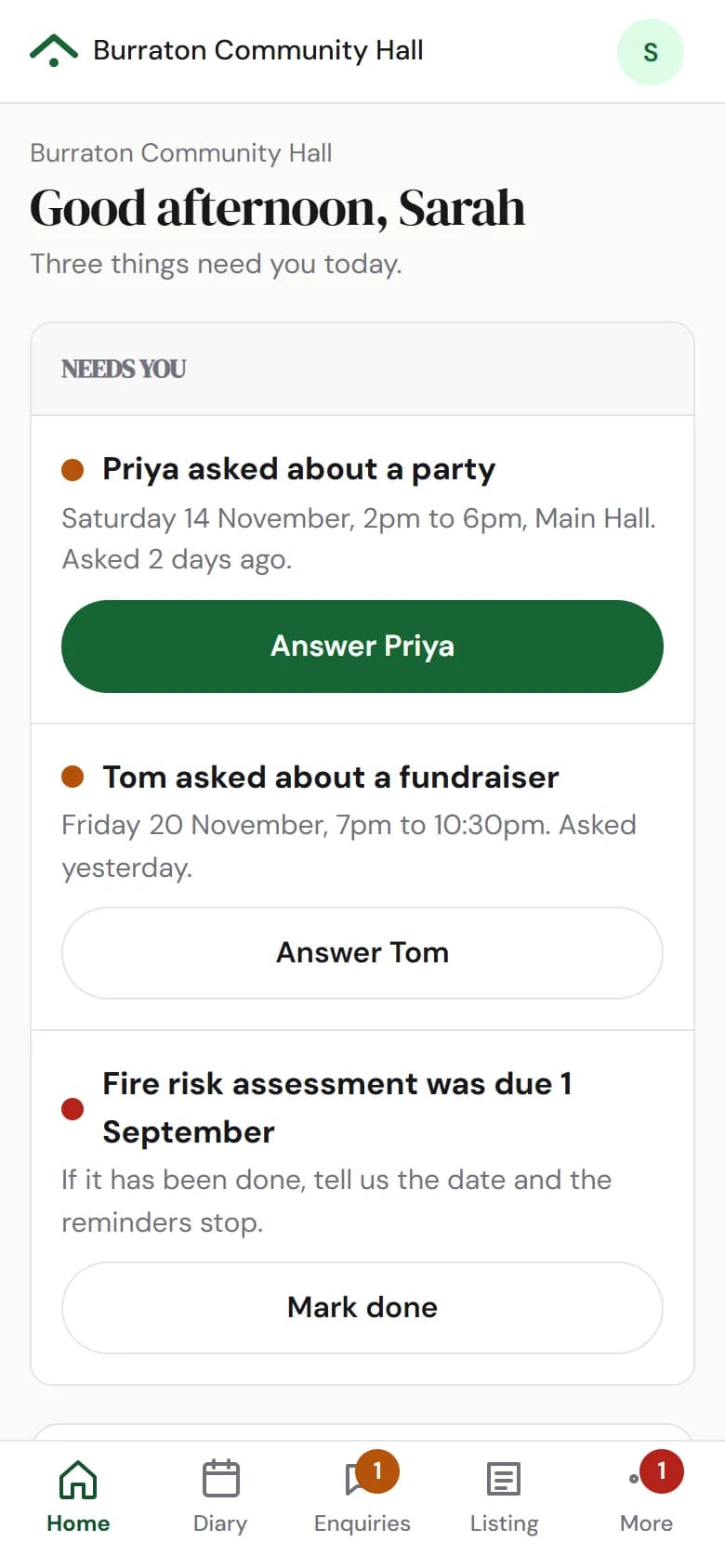
Six plain sections, and a Home page that tells you first whether anything needs you.
How to use it
- Step 1: Sign in. Home opens on Needs you: hirers waiting for an answer, oldest first, and anything overdue.
- Step 2: Press the green button on the first one. When Needs you is empty, you're done.
Good to know
- Thirteen tabs are now six sections: Home, Diary, Enquiries, Your listing, People and Paperwork.
- On a phone they sit along the bottom, with the rest under More, and every page fits the screen.
Where to find itHome
Show me Not on HallMatch yet? What HallMatch does for halls →